
How It Works
Select text, run a command, get the result — in any app on your Mac.
Step 1
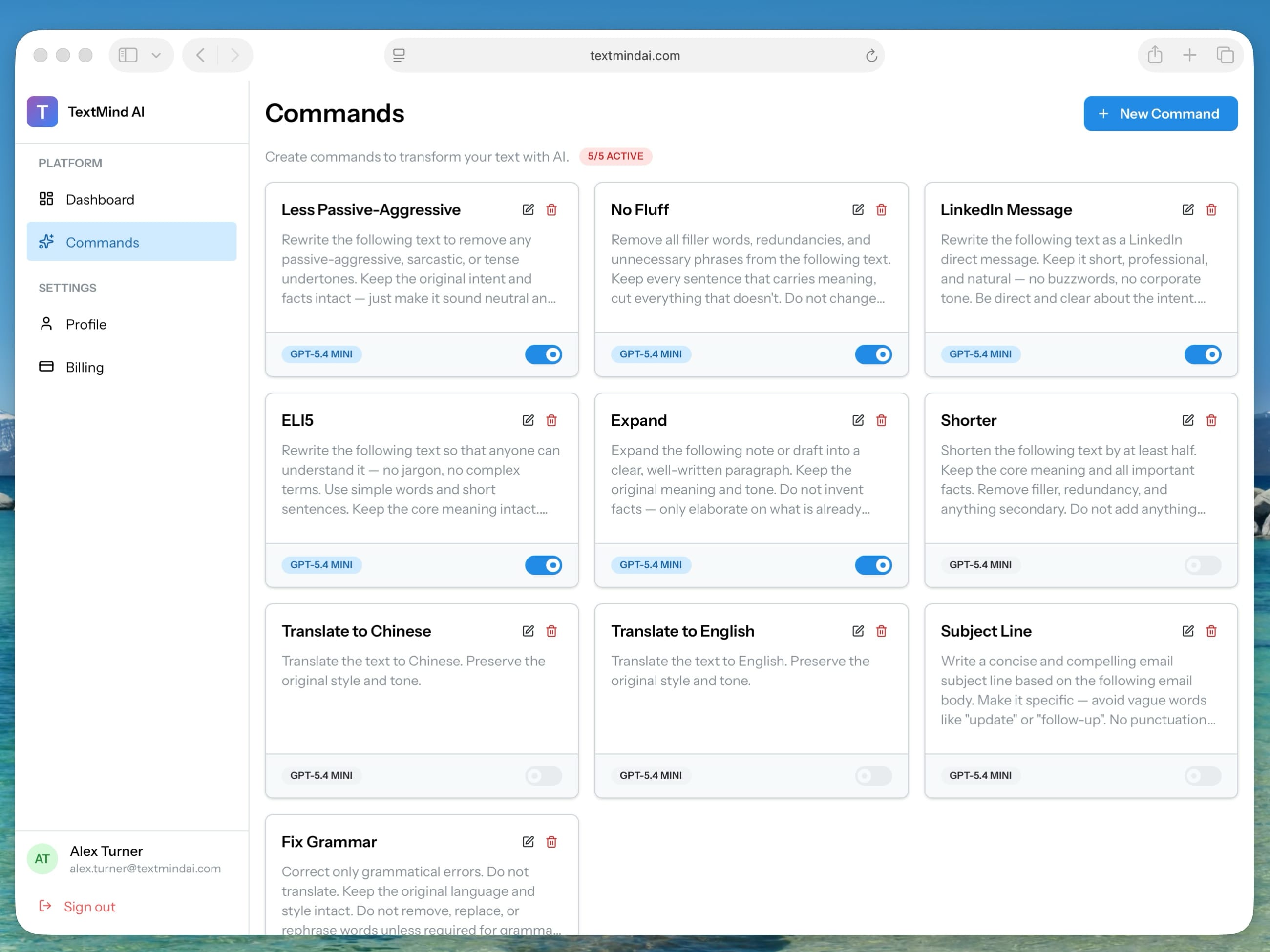
Your commands, your rules
Build your own commands with custom prompts and choose an AI model for each.
Step 2
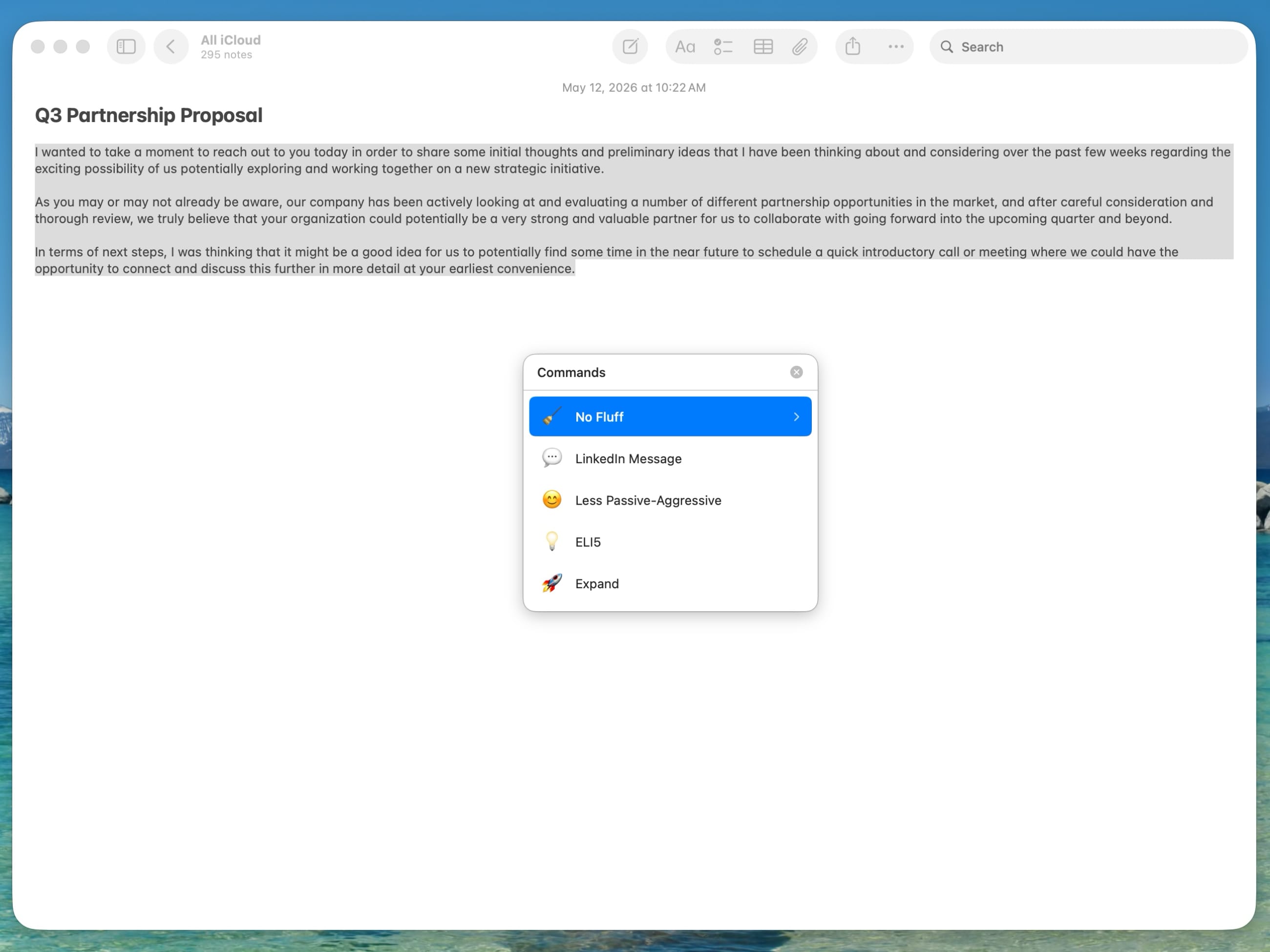
Select text in any app
Select any text in any macOS app — emails, docs, messages, or code. Then press ⌘ + Shift + I.
Step 3
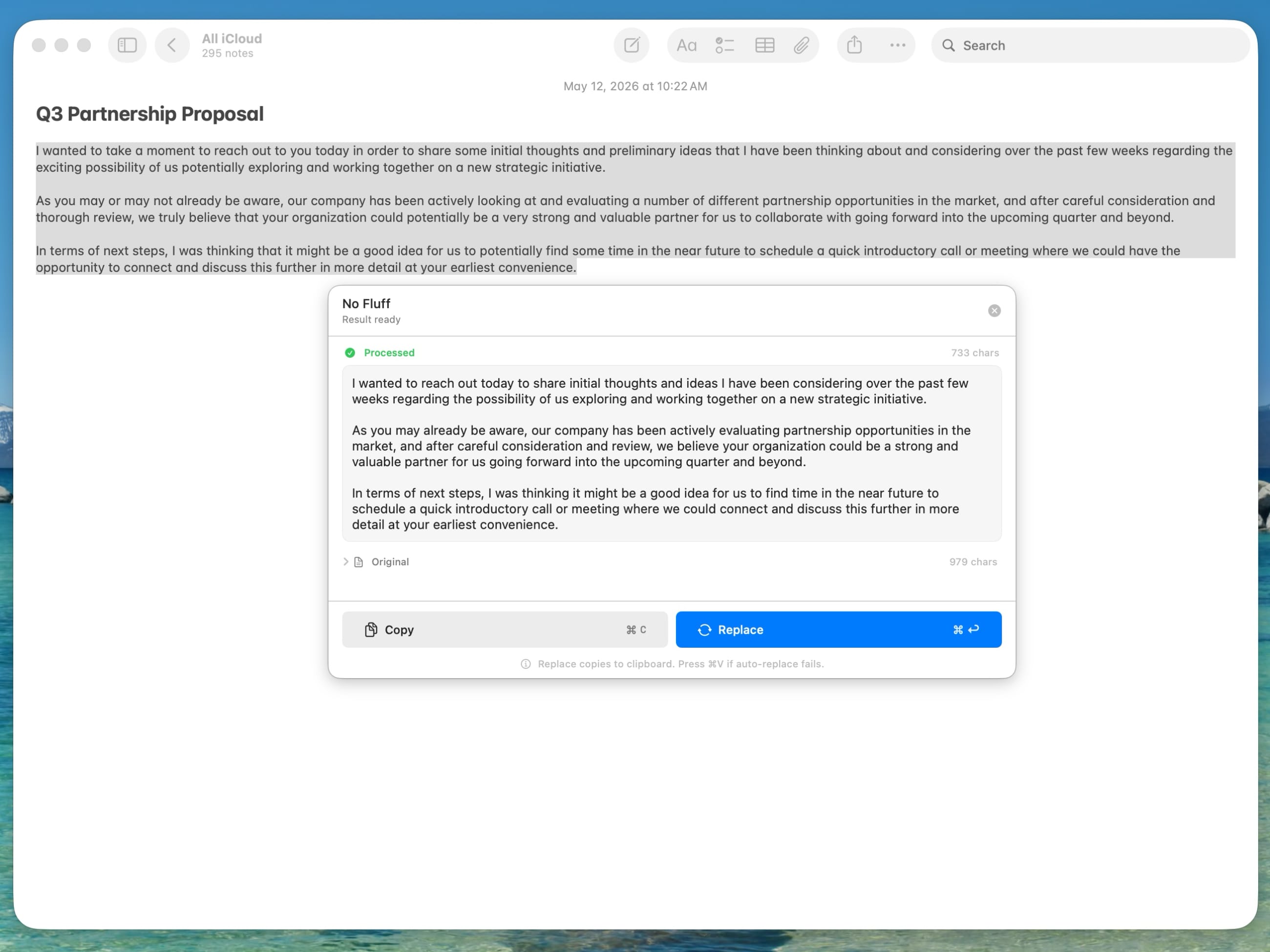
Pick a command, apply the result
Choose a command, get the AI result in a preview, and press ⌘ + Enter to replace your selection.
Download
macOS App
Requires macOS 14 Sonoma or later
Works in any app — text editors, browsers, messengers, and more
Select text, press ⌘ + Shift + I, pick a command